The Redesign of Tasty
I started this project by browsing cooking apps on the Google Play store and I noticed a pattern. Many apps claimed to offer a “hands-free” cooking mode, but when I downloaded and tested them, that promise didn’t hold up. I still had to tap the screen to move between steps in the cooking mode. This could easily be a frustration for users if their hands were messy or occupied while cooking.
This research led me to form a simple question: Why are these apps with “hands-free cooking” still so hands-on? This was not just inconvenient, it also was an accessibility issue for the users. Users with limited dexterity, no sight, or other impairments would not be able to properly or easily navigate and interact with the app. The technology exists, there are even proper examples of voice assistants and hands-free controls out there. This insight would become the foundation of my project. What would a truly hands-free cooking experience look like and how would it behave?
Instead of jumping straight into design, I wanted to understand how existing solutions approached the problem. I analyzed a mix of direct and indirect competitors including SideChef, Tasty, and even a voice-first platform like Amazon’s Alexa.
With this deep dive, what I found was consistent. The direct competing apps all had cooking modes, but none fully removed the need for physical interaction. Amazon’s Alexa did, but lacked the visual guidance that a cooking app can provide. This clear gap between visual usability and true hands-free interaction became an opportunity.
To better understand who I was designing for, I created two journey maps. I have my first scenario down below as an example.
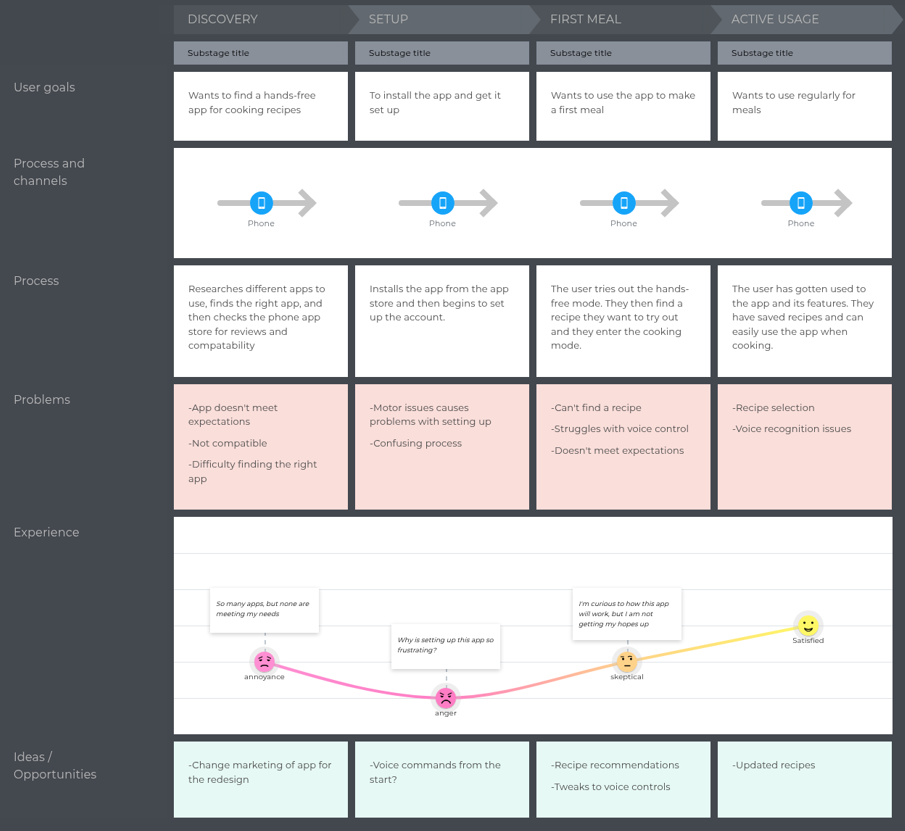
Figure 1: Journey Map Example
Scenario 1: John loves to cook regularly. He is always trying out new recipes to impress his family at the dinner table. The problem is that John struggles to write down recipes on paper or on his phone. John has development coordination disorder (dyspraxia). He has difficulties with coordination, balance, and fine motor skills. John is looking to find an app that is hands-free that can help him find and try out new recipes.
To understand how John would want to use the redesign of Tasty, I wanted to take a trip down his potential journey. From each stage, I detailed the process, the problems along the way, and how he felt during the experience.
One of my biggest challenges was introducing a new feature into an already existing app. With this in mind, I decided to focus on two key moments for the redesign, the onboarding process and the implementation of the voice feature in the cooking mode.
During onboarding, I designed a simple process that introduced the hands-free mode without overwhelming users. Instead of forcing this change, users can choose whether to enable voice controls (Figure 2) and whether they want a quick tutorial.
For the cooking experience, I created a system of simple, one-word voice commands like “Back,” “Next,” and “Ingredients” to help navigate through a recipe. The voice bubble can be seen in Figure 3.
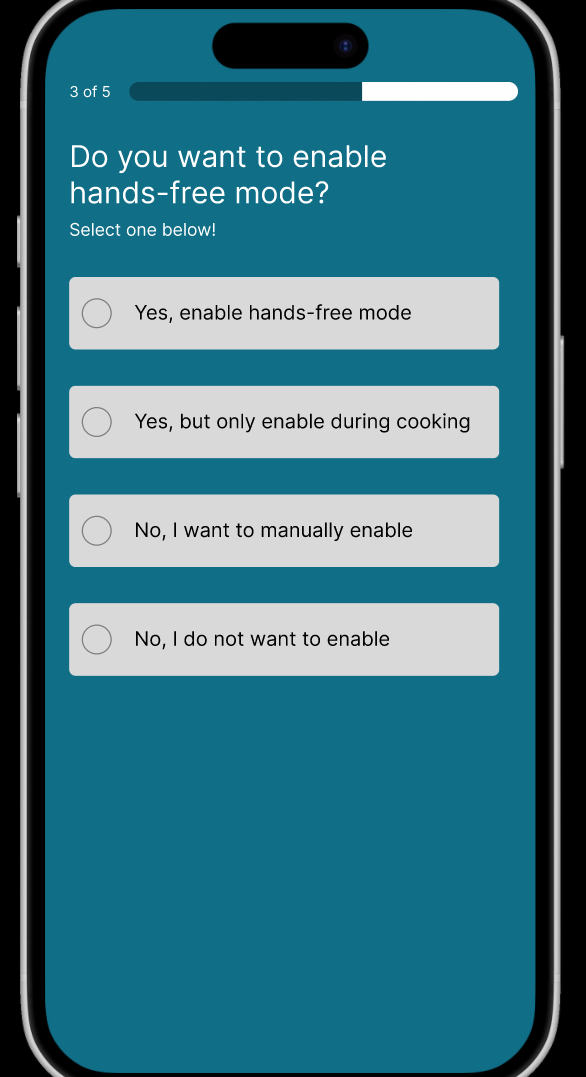
Figure 2: Onboarding
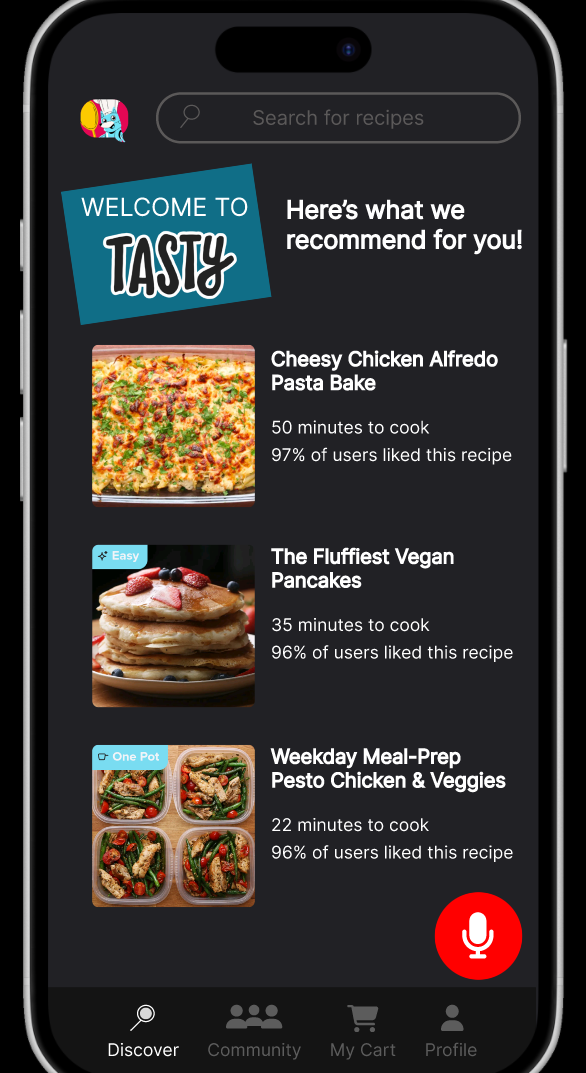
Figure 3: Voice Feature
Using these ideas, I moved into wireframing and prototyping. I chose to redesign Tasty rather than create a new app from scratch. This allowed me to build on an existing interface that users already recognize so I could focus on improving accessibility and usability. The final prototype walks through the full experience, from onboarding to entering cooking mode and completing a recipe. The prototype shows how hands-free interaction can be seamlessly integrated without disrupting what users already know.